Home Pricing Console About Us
M4 series is now fully available

Mac mini
Cloud Hardware Rental

Eliminate performance bottlenecks without buying expensive hardware. Get continuous Apple Silicon physical-grade native compute for iOS development, CI/CD builds, and heavy rendering.
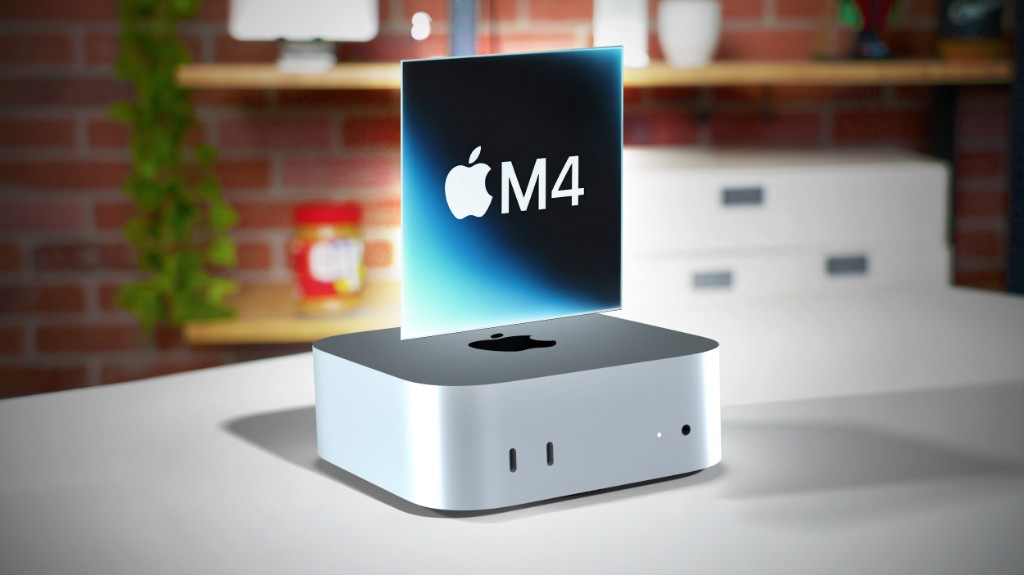
Mac mini M4 physical machine

Node Status

Online · SSH Ready

Simple, transparent monthly pricing.

All plans include clean native macOS with full admin privileges.

Core Advantages

This is not a virtual machine,
it's your own private node.

From the underlying architecture to network delivery, we've redefined the standard for cloud macOS.

M4

100% Dedicated Physical Machine

No virtualization performance loss or compatibility issues. Every order corresponds to a real Mac mini in the data center — you get full, independent, unrestricted control over the underlying hardware.

  • Full native Apple Silicon performance
  • Full USB / peripheral passthrough support
  • Exclusive NVMe ultra-fast SSD storage

Break platform barriers — connect anytime, anywhere

Why rent? Because you don't have to carry heavy hardware anymore. Whether you're on a Windows laptop, Linux workstation, or even an iPad — just open a remote desktop client for a full-screen immersive macOS experience.

Perfect for:

iOS app packaging Flutter/React Native Final Cut remote rendering
💻
📱

Windows · Linux · iPad → macOS

Global Core Node Deployment

BGP multi-homed routing and CN2 GIA high-speed lines ensure crisp remote desktop visuals with low latency and no lag.

All nodes operational globally (99.99% Uptime)
🇭🇰 28ms

Hong Kong, China

Ultra-fast APAC, direct China connection

🇯🇵 45ms

Tokyo, Japan

High bandwidth, ideal for global reach

🇸🇬 55ms

Singapore

SE Asia core hub

🇰🇷 38ms

Seoul, South Korea

Gaming & compilation acceleration

🇺🇸 130ms

US West

Cost-effective with DDoS protection

Automated delivery, at the touch of a button.

No complex setup — three steps to initialize your machine and start your remote desktop.

1. Place order in console

Choose your plan and target data center — supports automatic payment via credit card, PayPal, and more.

1

2. Automated provisioning in 60s

Once payment is complete, the backend automatically allocates a physical machine, flashes the native macOS image, and initializes your network configuration.

2

Installing macOS Sequoia...

3. Get credentials and connect

Provisioning complete. You'll receive your dedicated IP and initial password by email — connect full-screen via the built-in VNC or AnyDesk.

> ssh admin@203.0.113.45
> Password: ****
> Welcome to vpstix!